
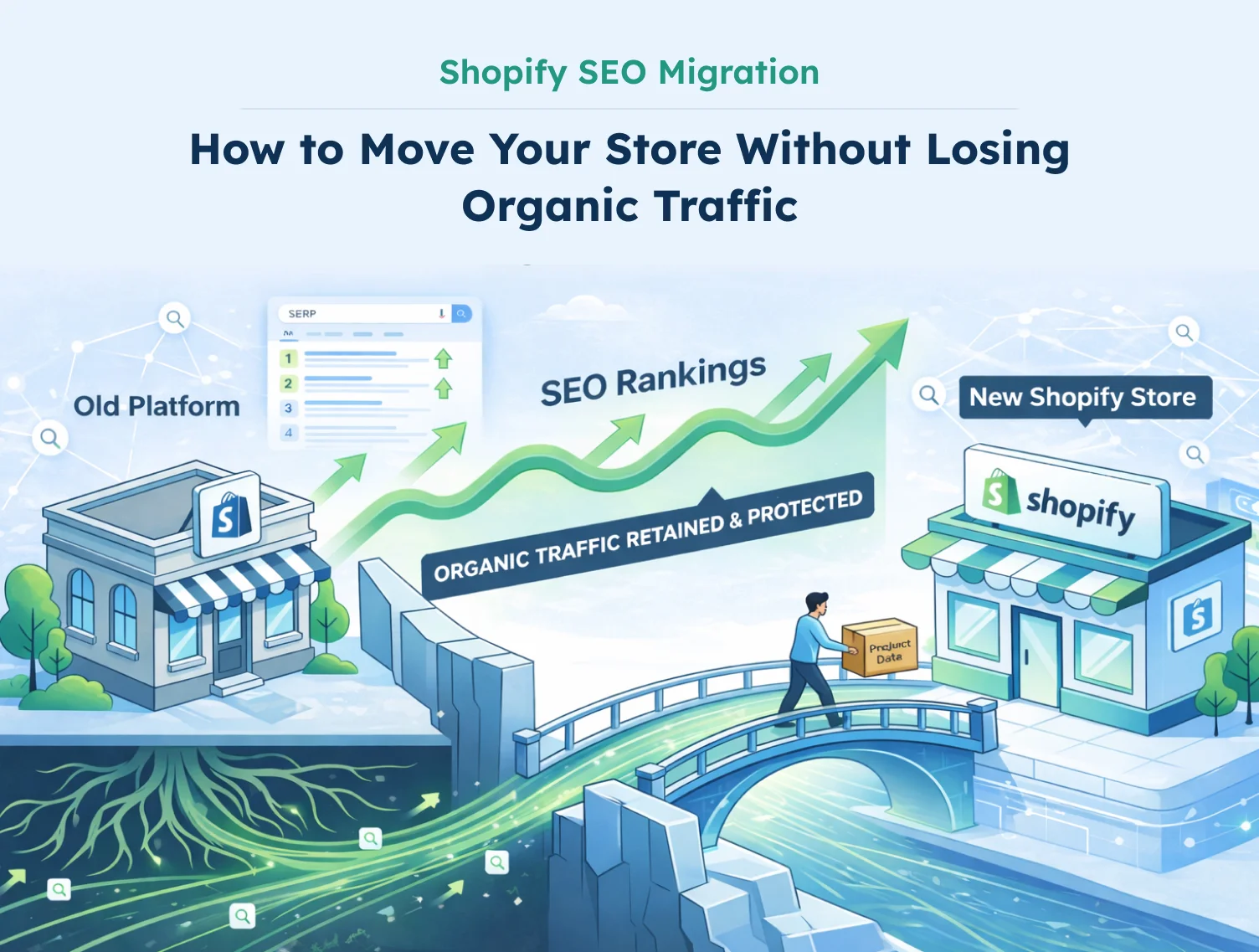
Do you know the smartest growth decision a company could take these days? It’s the switch from eCommerce store to Shopify. Because there, you can expect better performance, a stronger ecosystem, and a checkout that really can convert. But before the switch, before the Shopify SEO migration, there is a question that almost every store owner asks without fail,
“What happens to my SEO when I migrate?”
And without any doubt, it is a fair concern. Because every owner has ensured organic rankings, which have taken months of consistent work. And no one would be ready to lose the traffic, just for moving to a better platform, right?
There can be some issues like that, which literally can impact your SEO, because even a change in URLs can be disastrous.
So, there has to be the right kind of preparation and execution, and for that reason, through this Shopify SEO migration guide, we are gonna help you with the migration without losing traffic. We will help you understand and avoid the most common mistakes store owners make during migration with a phase-by-phase checklist that keeps your rankings protected from day one.
Does Migrating to Shopify Affect SEO?
Yes, but not in the way most store owners fear.
The SEO impact of migrating your website to Shopify is not about Shopify being bad for SEO. In fact, Shopify is built with strong SEO fundamentals out of the box, fast load times, clean URL structures, automatic sitemap generation, and mobile-optimised themes.
The impact comes from the technical changes that happen during any platform migration. URLs change. Site structure shifts. Internal links need updating. When these changes aren’t handled carefully, search engines temporarily lose their understanding of your site, and your rankings reflect that.
The good news is that most sites recover within one to three months for smaller stores, and three to six months for larger ones. The stores that take the longest to recover are typically the ones that skipped the preparation phase or made too many changes at once.
Common Shopify SEO Migration Issues to Avoid
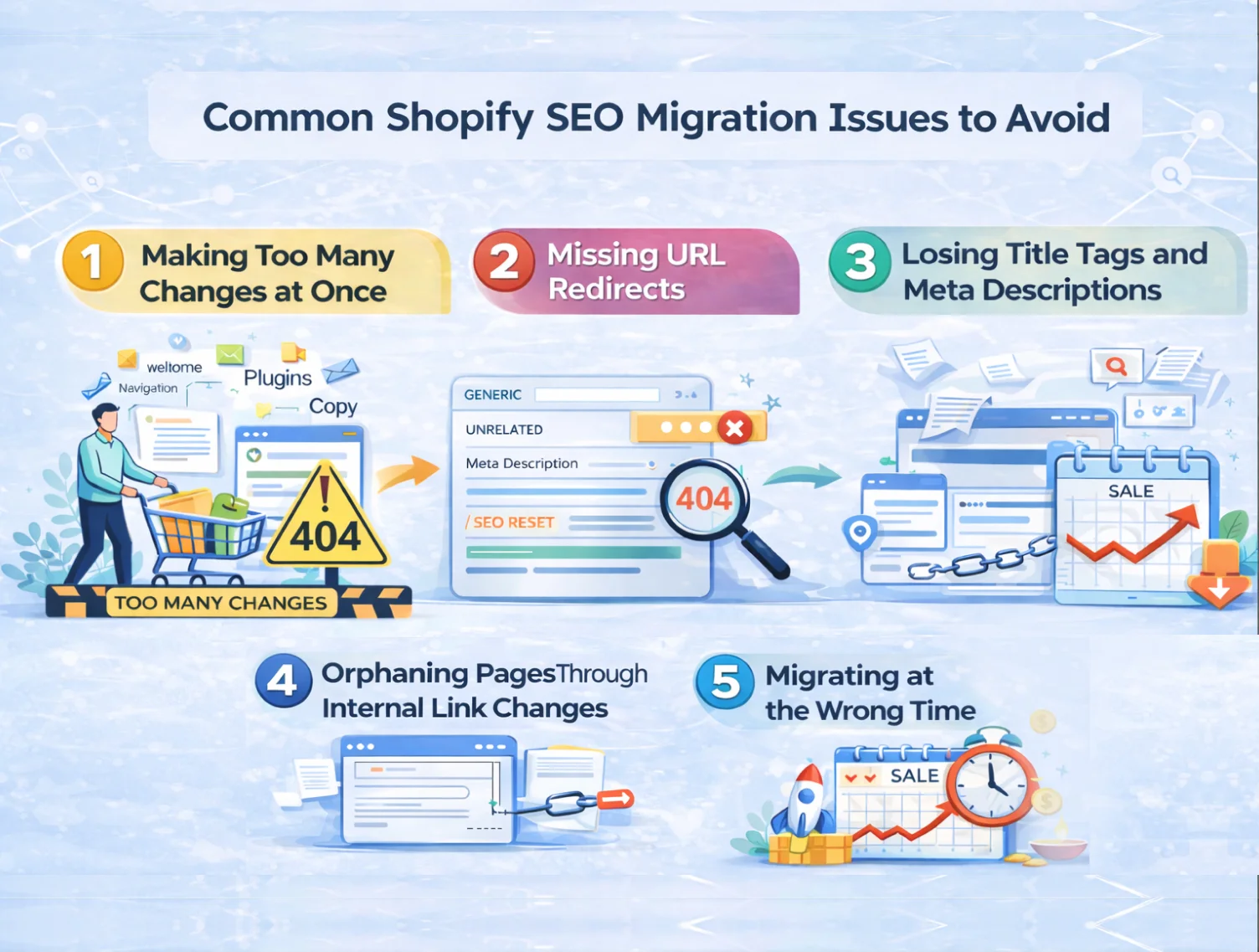
Before getting into the checklist, it’s worth understanding where things most commonly go wrong. These are the Shopify SEO migration issues that affect store owners the most, and the ones that are entirely preventable.
1. Making Too Many Changes at Once
Migration is not the time for a full rebrand. When you’re moving to Shopify, you’ll need to choose a new theme, but beyond that, resist the urge to overhaul everything simultaneously.
Moving text further down the page, adding new plugins, restructuring your navigation, and changing your copy are all variables. The more variables you introduce at once, the harder it becomes to identify what caused any drop in performance. Keep changes minimal during migration. Make improvements after your site has stabilised.
2. Missing URL Redirects
This is the most common and most damaging Shopify SEO migration issue. Every platform uses a different URL structure, and Shopify is no exception.
On Shopify, product pages live at /products/, collection pages at /collections/, and blog posts at /blogs/. If you’re coming from WooCommerce, Magento, or a custom platform, your existing URLs will almost certainly be different. Without proper redirects in place, anyone landing on an old URL, from a Google result, a backlink, or a saved bookmark, will hit a 404 error page. Worse, the SEO authority built on those old URLs simply disappears.
The solution is straightforward: crawl your entire site before migration, map every old URL to its new Shopify equivalent, and implement 301 redirects before you go live.
3. Losing Title Tags and Meta Descriptions
If you’ve spent time carefully writing and optimising your title tags and meta descriptions, that work can be lost during migration if you’re not deliberate about preserving it.
When content is imported into Shopify without explicitly setting SEO fields, they often reset to default fallbacks, generic titles pulled from product names, with no optimisation. Export your existing title tags and meta descriptions as part of your pre-migration data snapshot, and verify them against your new site before launching.
4. Orphaning Pages Through Internal Link Changes
A well-structured site allows search engines to crawl from your homepage to every page by following internal links. When you restructure your navigation during a migration, simplifying menus, removing category links, and changing your footer, you risk cutting off pages from the rest of your site.
These isolated pages, known as orphan pages, receive less crawl attention and tend to drop in rankings. Before launching your new Shopify store, verify that every page is still reachable through internal links and that crawl depth hasn’t significantly increased for important pages.
5. Migrating at the Wrong Time
Timing matters more than most store owners realise. Every migration carries a short-term risk of ranking fluctuation. If that fluctuation happens right before your peak season, whether that’s Diwali, Christmas, or a major sale period, the revenue impact is significantly amplified.
Plan your migration at least six months before your busy season, or immediately after it ends. This gives your site enough time to fully recover before the traffic that matters most arrives.
Shopify SEO Migration Checklist: Phase by Phase
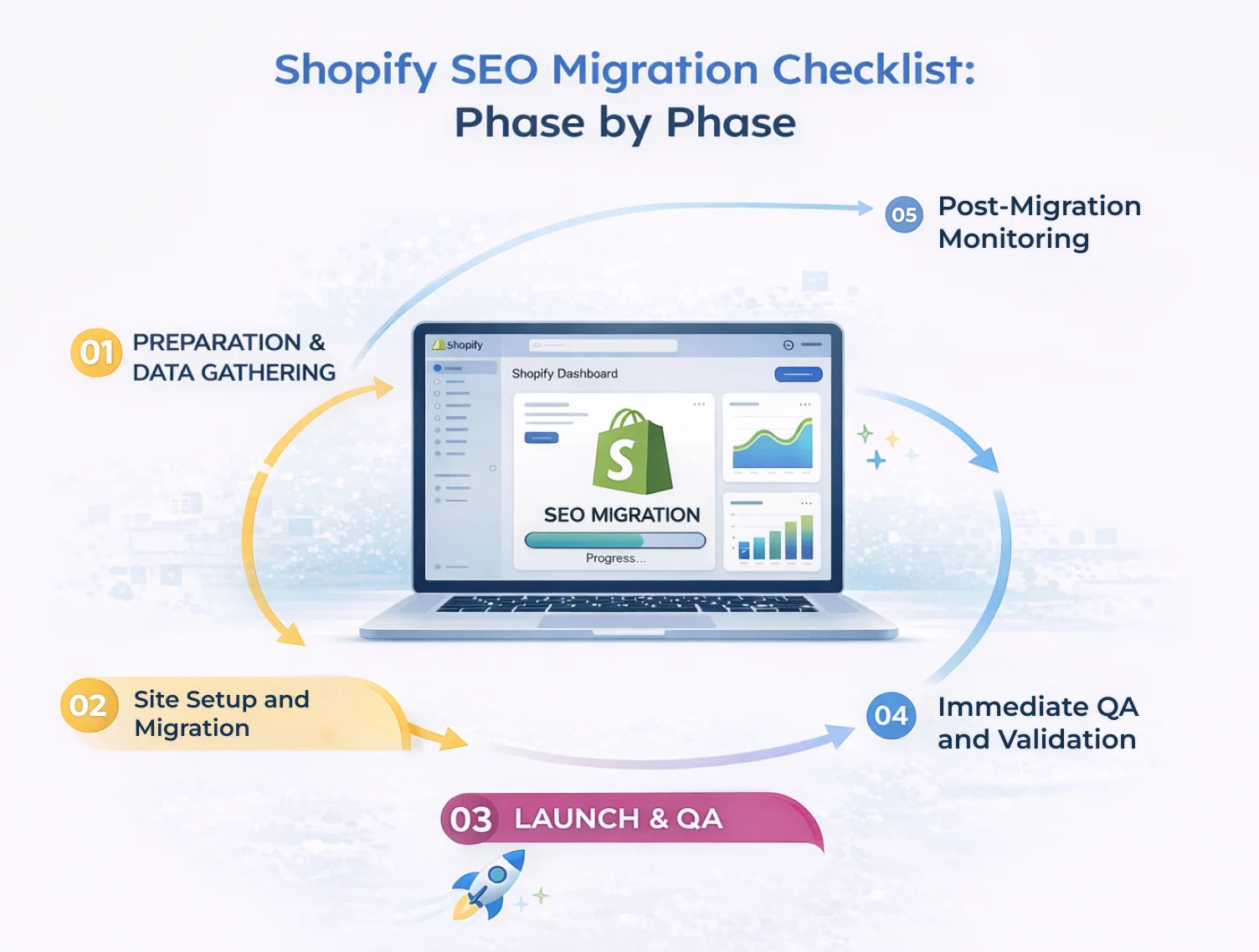
A successful SEO migration for Shopify comes down to execution. Here is the phase-by-phase checklist to follow.
Phase 1- Preparation and Data Gathering
This phase happens entirely before you touch your new Shopify store. Its purpose is to create a complete record of your existing site so nothing is lost in the move.
Crawl your existing site
Use a tool like Screaming Frog or Sitebulb to crawl every page on your current site. Export the full list of URLs along with their title tags, H1s, meta descriptions, word count, and PageSpeed scores. This becomes your master reference document.
Export from Google Analytics and Google Search Console
Your crawler may miss orphan pages, pages that exist but aren’t linked from anywhere. Exporting your top URLs from Google Analytics and Search Console ensures you catch these.
Cross-reference your XML sitemap
Check your current sitemap against the crawler’s results. Any discrepancies should be resolved before migration begins.
Export third-party data
Product reviews, loyalty programme data, and any other third-party integrations should be exported separately. Keep these as backup files before you begin the migration process.
Set up Google Search Console
If you’re changing your domain name as part of the migration, create a new Google Search Console property now. This will be important for submitting your new sitemap and monitoring performance post-launch.
Phase 2- Site Setup and Migration
With your data gathered, it’s time to build your new Shopify store and prepare it for launch.
Map your redirects
Create a spreadsheet that maps every old URL to its corresponding new Shopify URL. Be thorough; every URL that has ever received organic traffic or earned backlinks needs a redirect destination.
Standard Shopify plans support up to 100,000 redirects. Shopify Plus supports up to 20 million. If your store is large enough to approach these limits, prioritise your highest-revenue URLs first.
Migrate your content carefully
Import your products, collections, and blog content — and as you do, ensure that title tags, H1s, and descriptions match your pre-migration data. Don’t let Shopify default to generic fallbacks for pages that have been carefully optimised.
Rebuild your internal link structure
As you set up your Shopify navigation and internal linking, compare it against the crawl data from Phase 1. The number of internal links per page and the crawl depth of important pages should stay consistent with your old site.
Technical SEO setup
Load your redirect mappings into Shopify. Review your robots.txt and XML sitemap — Shopify generates these automatically, and the defaults work well for most stores. Confirm that any critical apps are installed and configured correctly.
Phase 3- Launch
When everything is in place and your new store has been tested, it’s time to go live.
Update your DNS settings
Point your domain to Shopify by updating your A Record and CNAME in your domain registrar. Shopify provides a step-by-step guide for this process.
Remove your store password
If you used a password to keep your Shopify store private during setup and testing, disable it at launch so that both users and search engine bots can access the site.
Phase 4- Immediate QA and Validation
Go live is not the finish line; it’s the beginning of the most critical verification window. In the first 24 to 48 hours after launch, run through the following:
Verify your redirects
Crawl your old URLs using your site crawler tool. Every old URL should return a 301 status code and redirect cleanly to the correct new URL, which should return a 200 status code.
Manual QA on critical flows
Click through your most important customer journeys manually — add to cart, checkout, payment, and contact forms. Automated checks don’t catch everything.
Full site crawl
Run a complete crawl of your new Shopify store and verify the following:
- Analytics tracking is present on all pages
- No pages are accidentally blocked in robots.txt
- No pages have unintended noindex tags
- Canonical tags are self-referencing correctly
- Internal links point to new URLs, not old ones
- Images are loading correctly
- Structured data (schema markup) is rendering properly
- Page speed shows no significant drop compared to your old site
Phase 5- Post-Migration Monitoring
The work doesn’t stop at launch. The weeks following migration are when problems tend to surface, and catching them early makes all the difference.
Submit your new sitemap to Google Search Console
This tells Google where to find your new pages and speeds up the re-indexing process.
Submit a Change of Address (if your domain changed)
If you moved to a new domain as part of the migration, submit a Change of Address request in Google Search Console to help Google transfer your signals to the new domain.
Monitor 404 errors daily
Check your Shopify reports and Google Analytics for 404 errors every day for the first few weeks. These indicate redirects that were missed and need to be fixed.
Track rankings and traffic for key pages
Keep a close eye on your highest-traffic and highest-revenue pages. Some fluctuation is normal; significant drops on specific pages usually point to a fixable issue.
Keep your redirects live permanently
A common mistake is removing redirects once the migration appears to have stabilised. Keep your 301 redirects live for at least a year, and ideally indefinitely. Backlinks to old URLs continue to pass value as long as the redirect is in place.
How Long Will It Take to Recover?
This is the question every store owner asks, and the honest answer depends on two factors: how many pages your store has, and how much of your traffic comes from non-branded searches.
Branded traffic, searches for your store name, tends to recover almost immediately. Non-branded traffic, searches for the products and categories you sell, takes longer because Google needs to re-evaluate your new URLs in a competitive context.
As a rough estimate, smaller stores with fewer than a few hundred pages typically recover within one to three months. Larger stores with thousands of URLs and significant non-branded traffic can take three to six months.
The stores that recover fastest are not necessarily the ones with the most resources; they’re the ones that executed their migration carefully, caught issues early, and kept their monitoring consistent in the weeks following launch.
Migrate to Shopify Without Losing SEO- Let Dynamic Dreamz Handle It
A Shopify SEO migration done well is a technical process that requires precision at every stage, from URL mapping and redirect implementation to post-launch monitoring and recovery tracking. One missed redirect, or an accidentally reset title tag, can set your recovery back by weeks.
At Dynamic Dreamz, we’ve handled Shopify migrations for brands moving from WooCommerce, Magento, BigCommerce, and custom-built platforms. As a Shopify Premier Partner with 18+ years of experience and 5,000+ successful projects, we know exactly what it takes to move a store to Shopify without leaving rankings behind.
Our migration process covers everything, pre-migration audits, full URL mapping, redirect implementation, technical SEO setup, post-launch QA, and ongoing monitoring — so you get all the benefits of Shopify without the traffic risk.
Ready to migrate to Shopify the right way?
Talk to the Dynamic Dreamz team today.
Conclusion
While migrating your store to Shopify, you don’t ever have to sacrifice the organic traffic for which you’ve worked very hard to build. And yes, the impact of SEO while migrating the store is real and manageable, but only when you approach it with the right kind of preparation.
So, please make sure that you always follow the checklist given above, and map every redirect. Moreover, you will also have to preserve your title tags and monitor them closely after launch. And if you want the peace of mind of having an experienced Shopify partner handle it for you, Dynamic Dreamz is ready.
FAQ
Does migrating to Shopify hurt SEO?
Any kind of platform migration can literally cause a temporary SEO impact because, indeed, there can be some URL changes, and even search engines would require time to process those changes. Henceforth, a proper kind of redirect mapping, title tag preservation, and post-launch monitoring would have to be ensured, because that is how most stores can recover within one to three months.
What is a Shopify SEO migration checklist?
A Shopify SEO migration checklist is a phase-by-phase guide that ensures to cover crucial points, including;
Pre-migration data gathering,
URL redirect mapping,
Content migration,
Technical SEO setup,
Launch verification, and
Post-migration monitoring
All designed to protect your organic rankings during the move.
How do I migrate to Shopify without losing SEO?
Here are the key steps for migrating to Shopify without losing SEO;
Crawl your existing site and export all SEO data before migration.
Map every old URL to its new Shopify equivalent with 301 redirects,
Preserve your title tags and meta descriptions,
Verify everything with a post-launch crawl, and
Monitor rankings and 404 errors closely in the weeks following launch.
How long does Shopify SEO migration recovery take?
Recovery time depends on your store’s page count and the percentage of your traffic that comes from non-branded searches. Smaller stores typically recover within one to three months. Larger stores with significant non-branded traffic may take three to six months.
What URL structure does Shopify use?
Shopify uses /products/ for product pages, /collections/ for category pages, and /blogs/blog-name/ for blog posts. If you’re migrating from a platform with a different URL structure, every affected URL will need a 301 redirect to its Shopify equivalent.
Can Dynamic Dreamz handle my Shopify migration?
Yes. Dynamic Dreamz is a Shopify Premier Partner with extensive experience migrating stores from WooCommerce, Magento, BigCommerce, and custom platforms to Shopify — with full SEO protection throughout the process. Get in touch here.